
Creating rubrics
3 min read · Updated July 2026
Build a rubric
The class Rubrics tab lets you define how work gets graded. Pick a grade type — Written feedback, Scored, or Star — choose whether it applies to the whole class or a specific lesson, add your criteria, and create.
- 1Open your class and go to Rubrics, then New rubric.
- 2Choose the grade type: Written feedback, Scored, or Star.
- 3Set what it applies to — the whole class (all lessons) or one lesson.
- 4Add your criteria and click Create rubric.
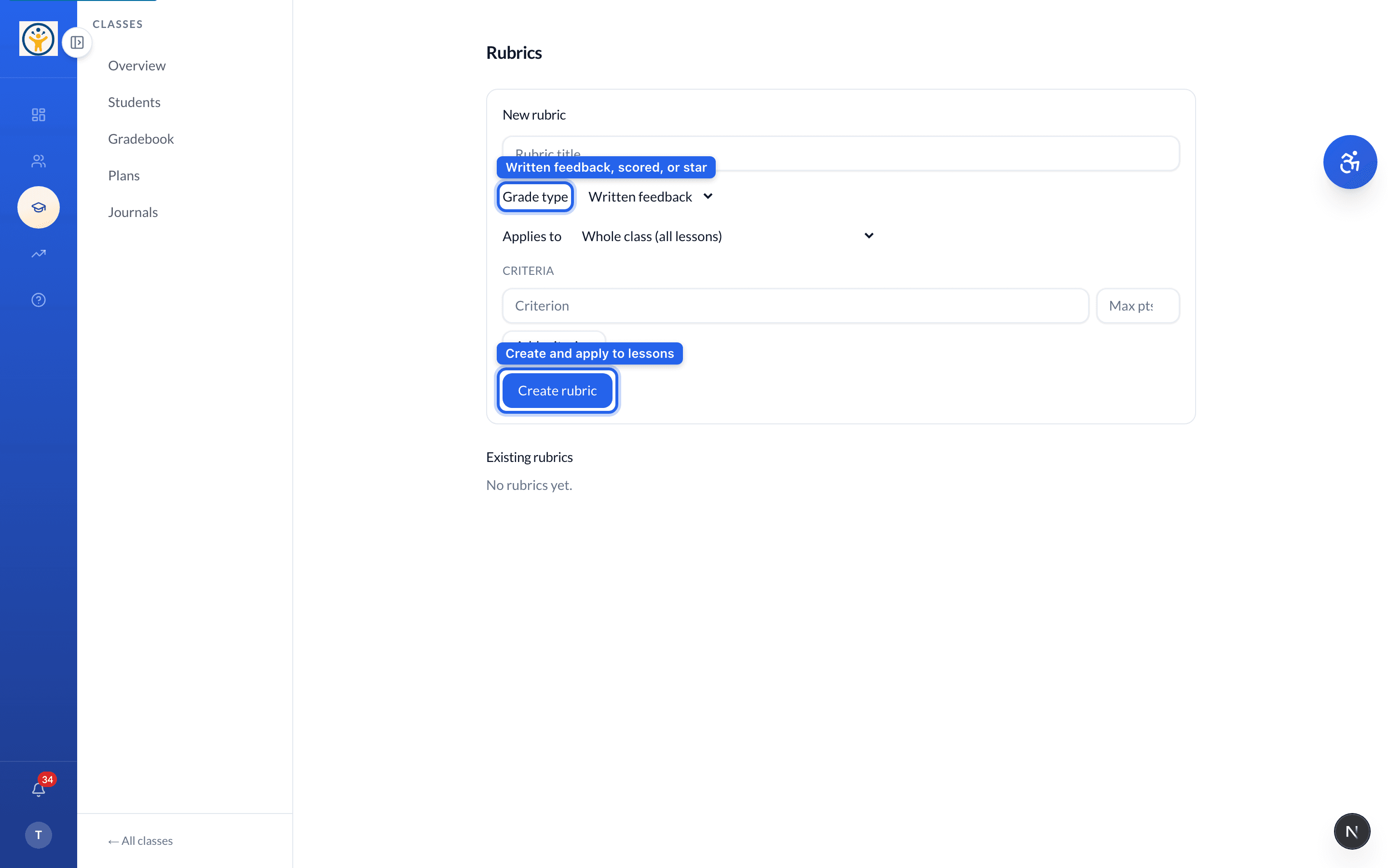
A class-wide written-feedback rubric is a good default — add scored rubrics only where you need numbers in the gradebook.
Still need help?
Reach the team — ask a question, report a bug, or request a feature. Signed in? Contact us from your dashboard.