
Managing seats and roles
4 min read · Updated July 2026
The three roles
Admins manage the organization, its people, and settings. Teachers create classes, customize lessons, and follow their students' progress. Students work through their class curriculum and see only their own progress.
Adding people
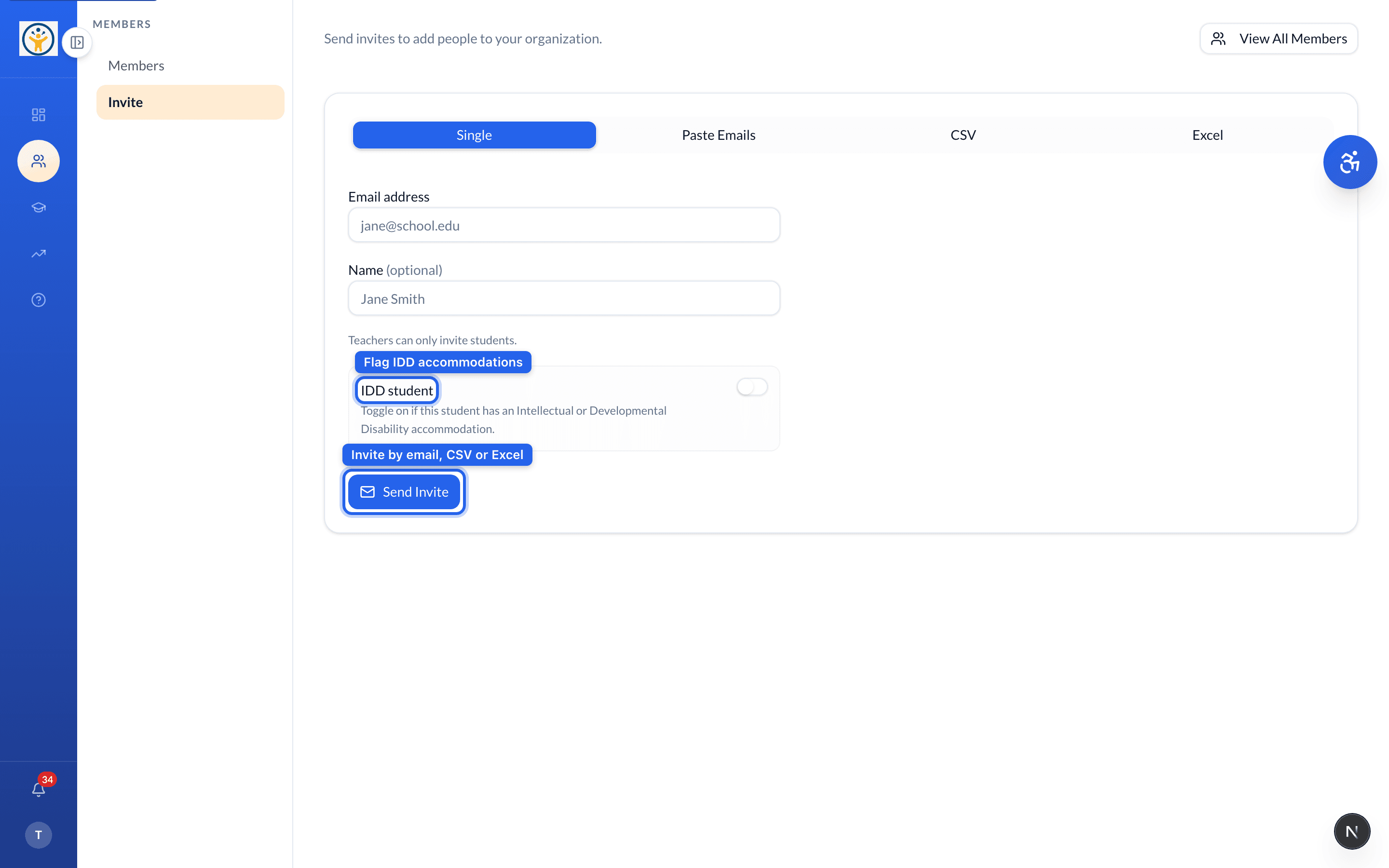
From Members → Invite:
- 1Choose how to add people — a Single email, or Paste Emails / CSV / Excel to bring in a whole roster at once.
- 2Enter the email (and optional name). Flag IDD student if the learner has an Intellectual or Developmental Disability accommodation, so they get the supported experience.
- 3Click Send Invite — each person gets an email with a redemption link.
Membership and seat counts live under Settings → Organization; pending invites show there too.
Still need help?
Reach the team — ask a question, report a bug, or request a feature. Signed in? Contact us from your dashboard.