
Your lesson copy, versions, and the master
3 min read · Updated July 2026
Your copy vs the master
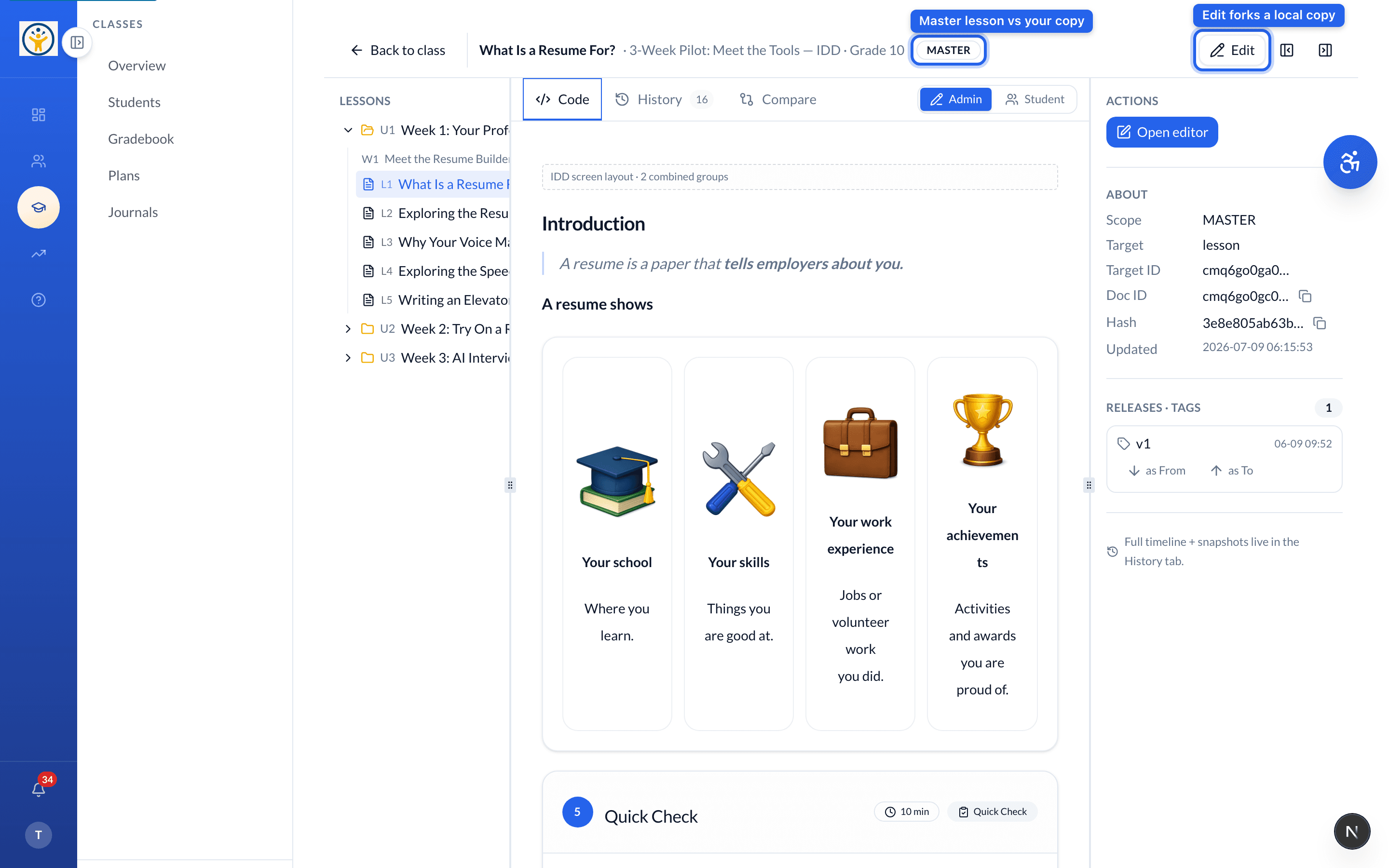
Each lesson shows whether you're viewing the MASTER or your class's own copy. Editing a master lesson automatically creates your copy, so you never overwrite the original — and everyone else keeps theirs.
History and comparing
Open a lesson to see its version tools: History lists past versions, and Compare shows what changed between your copy and the master — handy for reusing last term's edits or rolling back.
Reworking a lesson each term? Edit your existing class copy instead of starting over — the master is always there to compare against or revert to.
Still need help?
Reach the team — ask a question, report a bug, or request a feature. Signed in? Contact us from your dashboard.