
Subscribing to curriculum
3 min read · Updated July 2026
Subscribe templates for your teachers
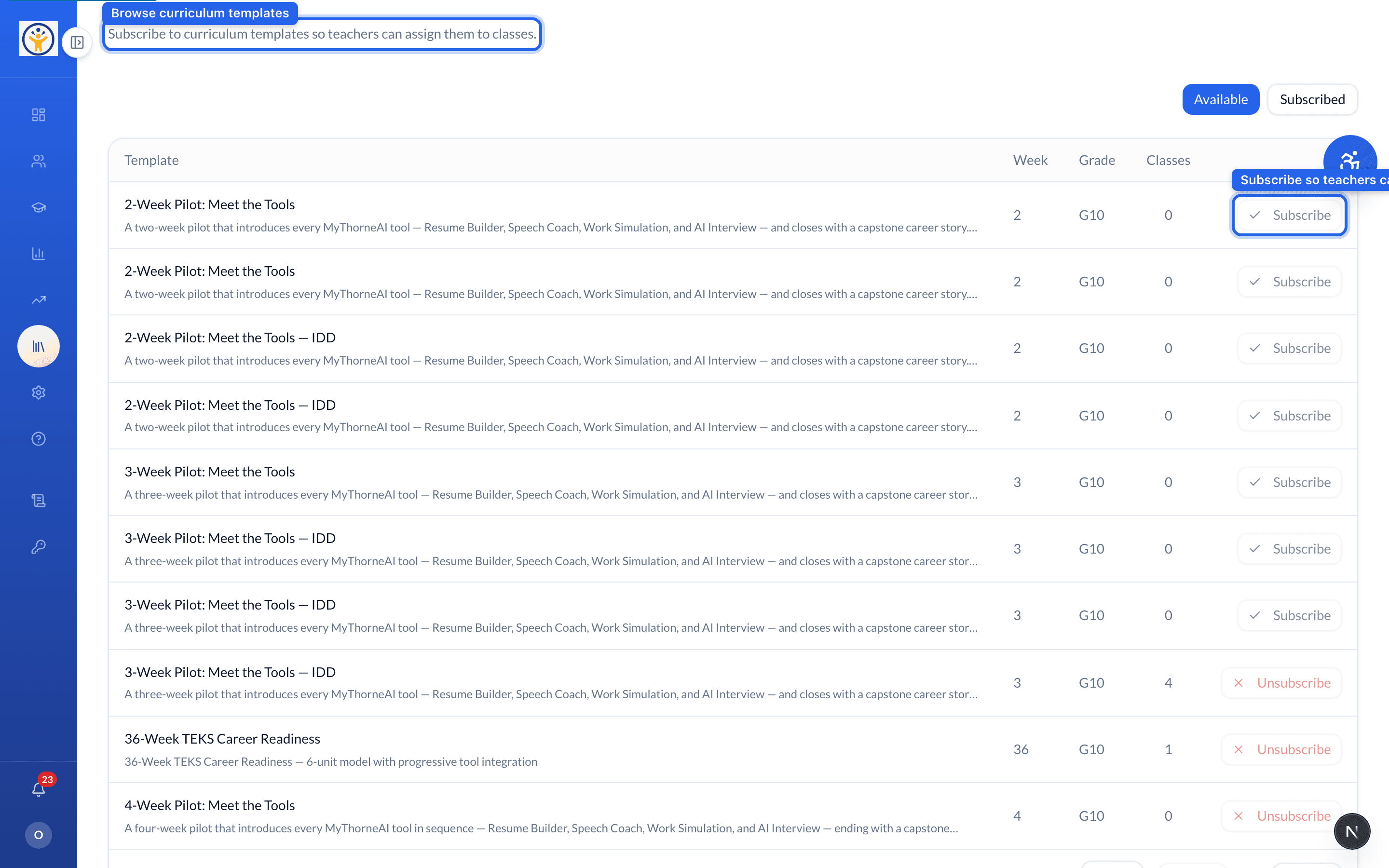
Classes are built on curriculum templates — like the 2-Week or 3-Week Pilots. Under Subscriptions you browse the Available templates and subscribe to the ones you want, which makes them selectable when teachers create classes.
- 1Open Subscriptions and browse the Available templates.
- 2Check each one's week length and grade level.
- 3Click Subscribe on the templates you want your teachers to use.
- 4Subscribed templates then appear when a teacher creates a class.
Still need help?
Reach the team — ask a question, report a bug, or request a feature. Signed in? Contact us from your dashboard.