
Running your first lesson
4 min read · Updated July 2026
Your class already has its lessons
When a class is created it comes with a curriculum — units and lessons, ready to go. You don't build anything to get started; you decide the pace.
- 1Open your class Overview.
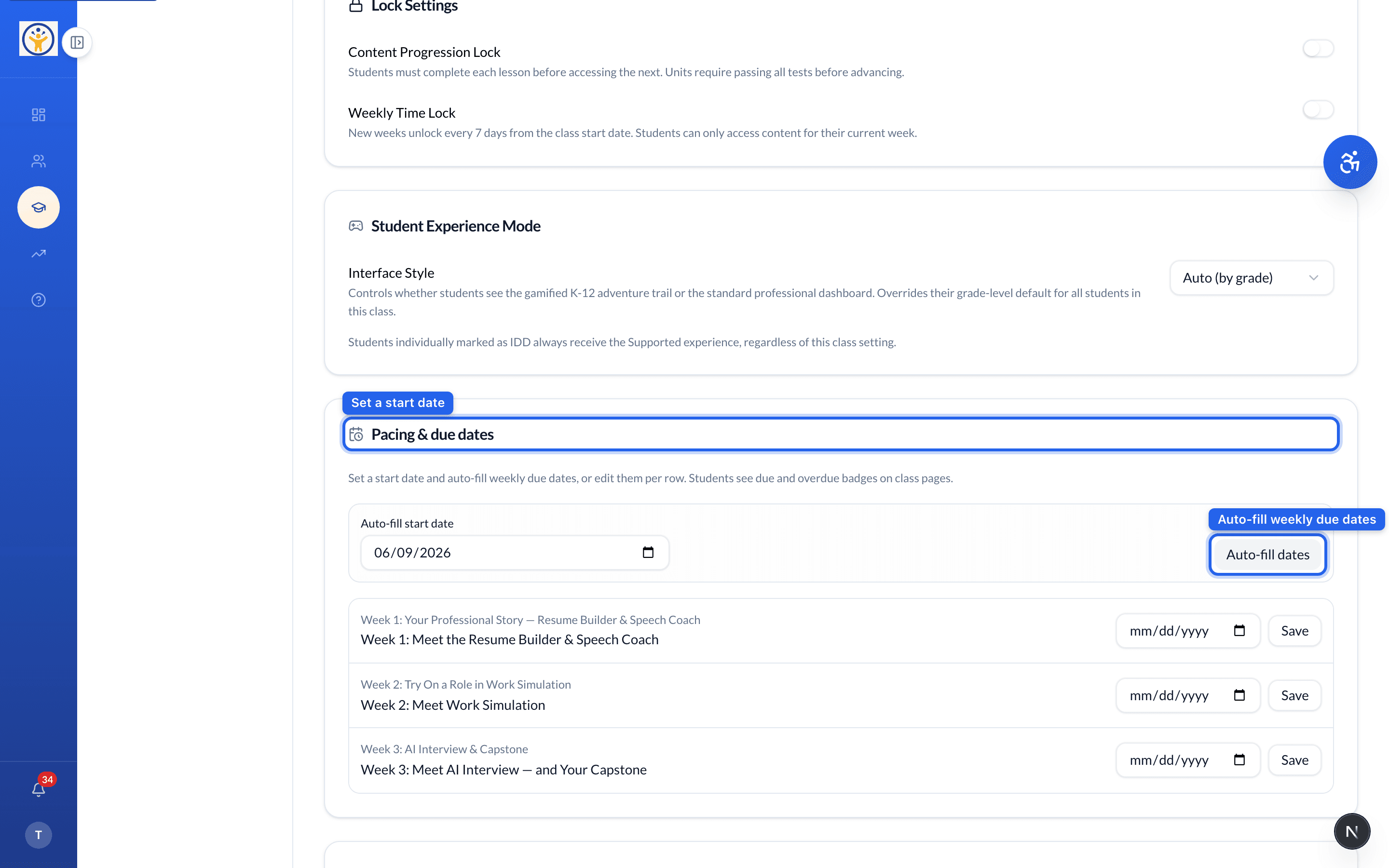
- 2In Pacing & due dates, set a start date — click Auto-fill dates to spread weekly due dates across the curriculum, or edit them per row.
- 3Students then see due and overdue badges and work through the lessons at that pace.
Controlling access
The Lock Settings on the same page let you require students to finish each lesson before the next (Content Progression Lock), or unlock a new week every 7 days (Weekly Time Lock).
Track how it's going from the class progress view — see Reviewing student progress.
Still need help?
Reach the team — ask a question, report a bug, or request a feature. Signed in? Contact us from your dashboard.